It's common for production lines to lose more time waiting than actually working, but these losses are often invisible until equipment fails or an order is late. This Lead Time Queue Process Calculator is a practical tool for breaking down your total lead time, process efficiency, WIP inventory, throughput time, and cycle time. It uses real-world time elements: queue time, setup, processing, moving, and inspection. The same principles work whether you’re in automotive, electronics, or any operation where on-time delivery is critical. You’ll find key formulas, a straight numeric example, engineering notes about what drives these times, and a FAQ with practical context.
What is lead time queue process analysis?
Lead time queue process analysis is about getting a clear breakdown of where your time is spent in production—how much is waiting in line, setting up, being processed, in transit, or waiting for inspection. With numbers in hand, you spot wasted time, not just guess where delays are creeping in.
Simple Explanation
Picture a part traveling through a factory like a car in city traffic. While people worry about driving speed, most time is lost stopped at lights or waiting behind others. The same goes for manufacturing—most of your product’s time is spent waiting in queues, not undergoing any transformation. This calculator quantifies those waits, so you can see what’s really slowing your output.
📐 Browse all 1000+ Interactive Calculators
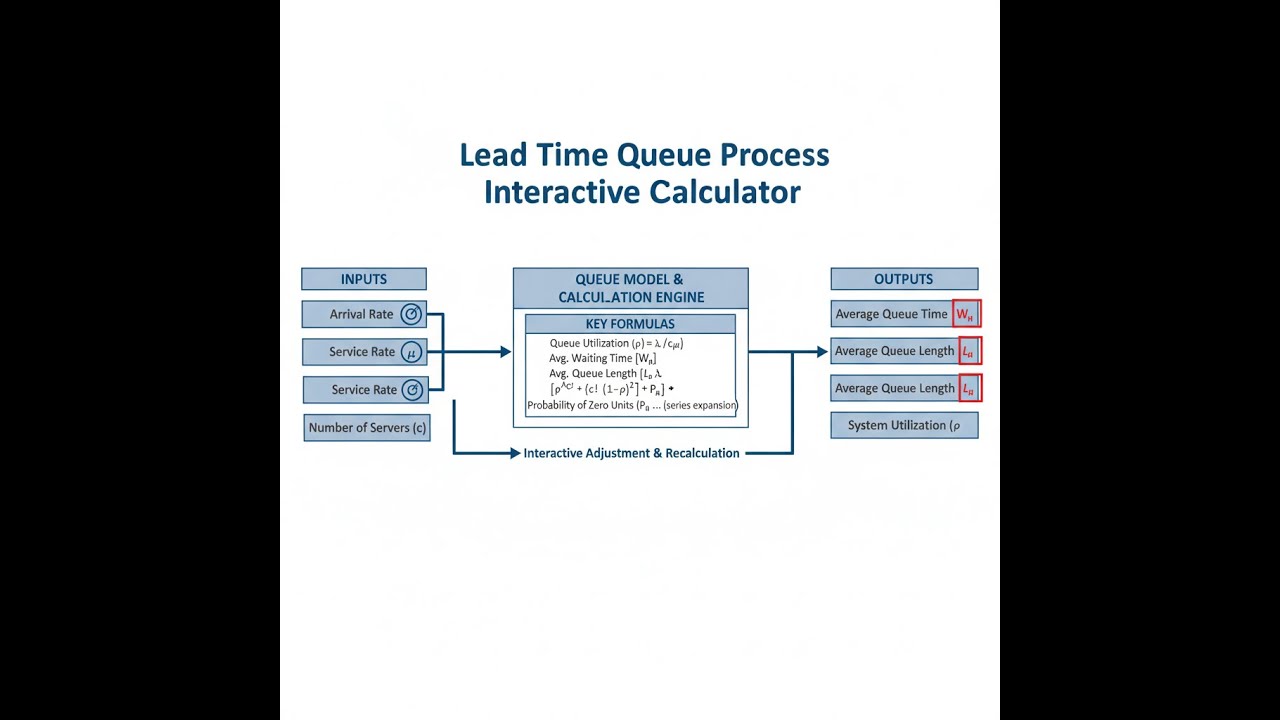
Process Flow Diagram

Lead Time Queue Process Calculator
How to Use This Calculator
This calculator is intended for education, concept evaluation, and preliminary design. Results are based on the equations and assumptions described on this page, but cannot account for every real-world load case, tolerance, material property, environmental condition, installation detail, safety factor, code, or regulatory requirement. Verify all inputs, assumptions, units, and results independently before selecting components or using the result in a real application. Safety-critical, structural, medical, lifting, transportation, or regulated applications must be reviewed by a qualified engineer.
- Select a Calculation Mode from the dropdown — choose what you want to solve for (e.g., Total Lead Time, Process Efficiency, WIP Inventory).
- Enter the time values shown for your selected mode — queue time, setup time, process time, move time, and inspection time in hours, or throughput/demand rates as required.
- Use the "Try Example" button to load a pre-filled set of values if you want to see how the calculator works before entering your own data.
- Click Calculate to see your result.
Lead Time Queue Process Interactive Calculator
Use the controls to see how much queue time outweighs the actual work time in most processes. Adjusting each slider helps you visualize how little of your manufacturing time is value-added, and how waiting time swamps efficiency if you’re not careful.
TOTAL LEAD TIME
8.0 hrs
PROCESS EFFICIENCY
25.0%
QUEUE TIME RATIO
50.0%
VALUE-ADDED TIME
2.0 hrs
FIRGELLI Automations — Interactive Engineering Calculators
Equations & Formulas
Use the formula below to calculate total lead time.
Total Lead Time
LTtotal = Tqueue + Tsetup + Tprocess + Tmove + Tinspection
Where:
LTtotal = Total lead time (hours)
Tqueue = Queue or wait time (hours)
Tsetup = Setup or changeover time (hours)
Tprocess = Processing or run time (hours)
Tmove = Transportation or move time (hours)
Tinspection = Inspection or quality check time (hours)
Use the formula below to calculate process efficiency.
Process Efficiency
ηprocess = (Tprocess / LTtotal) × 100%
Where:
ηprocess = Process efficiency (percentage)
Tprocess = Value-added processing time (hours)
LTtotal = Total lead time (hours)
Use the formula below to calculate throughput time for a batch.
Throughput Time for Batch Processing
TTbatch = Tsetup + (n × Tunit)
Where:
TTbatch = Total throughput time for batch (hours)
Tsetup = Setup time per batch (hours)
n = Number of units in batch
Tunit = Processing time per unit (hours)
Use the formula below to calculate WIP inventory using Little's Law.
WIP Inventory (Little's Law)
WIP = λ × LT
Where:
WIP = Work-in-process inventory (units)
λ = Throughput rate (units/hour)
LT = Lead time through system (hours)
Use the formula below to calculate cycle time from demand rate.
Cycle Time (Takt Time)
CT = 1 / Drate
Where:
CT = Cycle time (hours/unit)
Drate = Customer demand rate (units/hour)
Use the formula below to calculate queue time ratio.
Queue Time Ratio
QR = (Tqueue / LTtotal) × 100%
Where:
QR = Queue time ratio (percentage)
Tqueue = Queue or wait time (hours)
LTtotal = Total lead time (hours)
Simple Example
A part moves through a machining cell with these time components:
- Queue time: 4 hours
- Setup time: 1 hour
- Process time: 2 hours
- Move time: 0.5 hours
- Inspection time: 0.5 hours
Total lead time = 4 + 1 + 2 + 0.5 + 0.5 = 8 hours. Process efficiency = (2 / 8) × 100 = 25% — about as low as you’d ever want in a decent industrial setting.
Theory & Engineering Applications
Fundamental Principles of Lead Time Analysis
Lead time is the real clock time from starting a production order to shipping the finished part. In the factory, that includes the time when a part is being changed, handled, checked, or just sitting idle. Being able to tell value-added work from everything else is a core lean manufacturing skill, and it’s necessary to dig out where the delays are in any real plant, from auto parts to microchips.
Queue time is usually the biggest slice of total lead time in any shop, and it’s not rare for it to eat up 60-95% of the elapsed time. Mostly, your material is just waiting in front of machines, not getting worked. Queues build up due to shared equipment, job batching, machine breakdowns, or even normal variability in how work arrives. When plants push utilization past 80%, queues and waits grow much faster than the utilization number itself; that’s not just a hunch—queuing math proves it goes nonlinear.
Process Efficiency and Value Stream Mapping
Process efficiency compares real transformation time to the whole lead time. It’s a quick measure of how much of your production window is actual making, not just waiting. If you’re above 20%, you’re doing relatively well. In traditional settings, 5% or less isn’t unheard of. The huge gap shows there’s a lot of progress available with even basic queue reduction or process balancing.
Value stream mapping is the tool for visually following the part and information flows to pin down where products accumulate, not just physically but in time. With actual numbers on cycle time, changeovers, uptime, and inventory, you see directly where time piles up. Your main improvement lever is usually obvious in the numbers—after a few iterations, the constraint moves, and you can see the before/after change.
Little's Law and WIP Inventory Relationships
Little's Law is blunt but hugely useful: WIP = Throughput × Lead Time. It doesn’t care if your arrivals are clumpy or smooth, or if your queues feel odd—it always applies in a steady state. It directly shows that if you want less goods and cost tied up on your floor, you either speed up throughput or, more often, cut waiting time.
Beyond inventory, lower WIP makes process issues easier to spot and correct. If you’re operating with large piles of parts between stations, bad work goes undetected for hours or days. Cut WIP and you see defects and process problems sooner, so you waste less and react faster. Shops that move from days of WIP to hours see their quality headaches fall at the same time as cost and space requirements.
Batch Processing and Economic Trade-offs
Batching is a balancing act between fewer changeovers (lower setup cost per piece) and higher WIP and longer lead times. The more you batch, the more finished time sits idle, costing space, cash, and sometimes causing obsolescence or slow feedback if a defect sneaks in. Old-school EOQ math tells you the “cheapest” size, but that often misses the fact that long lead times cost more than just cash—they sap flexibility and slow down problem-solving.
Modern systems focus first on reducing setup times (look up SMED), since every hour cut from setup lets you run smaller, faster-moving batches. Short setups (minutes, not hours) let your line run with less WIP, flex to real demand, and change models or SKUs often without a significant penalty. This isn’t just a matter of tooling—it’s about hitting standardized procedures and training as well.
Cycle Time, Takt Time, and Production Pacing
Cycle time measures how fast you finish a part; takt time is what you need to hit to match what the customer wants per hour. You always want your actual cycle time to be less than or equal to takt time, or you fall behind on orders. If your cycle time is way below takt, you may have unused capacity that could be repurposed or simply scaled back.
Aligning cycle times across steps is just practical balancing. Too fast on one machine makes no sense if the next process can't keep up, and buffering is unavoidable. Instead of chasing perfect balance (which is rare), it often makes sense to put some extra stock only in front of the constraint while the rest of the system floats with minimal WIP.
Variability and Its Impact on Queue Formation
The less obvious problem is that even if your average work matches your average capacity, day to day variation builds queues. The more unpredictable your work arrival or process time, the lower the percent of capacity you can safely schedule at without the system seizing up with big waits. Sloppy arrival and run times can drop the safe utilization to near 60% on high-mix lines, and if you don’t address the variability (with standard work, PM, or leveled scheduling), no scheduling trick will stop the queues forming.
So when your theoretical numbers look fine but you’re still late, go back and measure the actual distribution of arrivals and process times, not just the average. Then focus improvements on reducing that variation, not just chasing higher hours booked.
Worked Example: Complete Lead Time Analysis
Scenario: Here’s a breakdown from a machining cell making hydraulic valve parts. The production engineer wants to know where time’s lost and how much WIP is needed at this throughput.
Given Data:
- Queue time before machining: 8.7 hours
- Setup time for milling operation: 1.3 hours
- Actual milling time: 2.6 hours
- Transportation to quality inspection: 0.4 hours
- Inspection and testing time: 0.8 hours
- Current throughput rate: 4.2 units/hour
Step 1: Calculate Total Lead Time
LTtotal = Tqueue + Tsetup + Tprocess + Tmove + Tinspection
LTtotal = 8.7 + 1.3 + 2.6 + 0.4 + 0.8 = 13.8 hours
Step 2: Calculate Value-Added vs. Non-Value-Added Time
Value-added time = Tprocess = 2.6 hours
Non-value-added time = 8.7 + 1.3 + 0.4 + 0.8 = 11.2 hours
Step 3: Calculate Process Efficiency
ηprocess = (2.6 / 13.8) × 100% = 18.84%
This means under a fifth of the entire process is actual machining—the rest is pure overhead or waiting.
Step 4: Calculate Queue Time Ratio
QR = (8.7 / 13.8) × 100% = 63.04%
So two-thirds of the time is spent queued up. That’s your obvious improvement target.
Step 5: Calculate Current WIP Inventory Using Little's Law
WIP = λ × LT = 4.2 units/hour × 13.8 hours = 57.96 ≈ 58 units
At any moment, around 58 parts are waiting, being worked, or in transit through the cell.
Step 6: Evaluate Proposed Improvement Scenario
If they change over to a kanban/pull system and cut queue time to 2.5 hours, what's the result?
New lead time = 2.5 + 1.3 + 2.6 + 0.4 + 0.8 = 7.6 hours
New WIP = 4.2 × 7.6 = 31.92 ≈ 32 units
WIP gets cut from 58 to 32—a clear gain in freed floor space and cash not locked into unfinished parts.
Step 7: Calculate New Process Efficiency
New ηprocess = (2.6 / 7.6) × 100% = 34.21%
Process efficiency almost doubles, showing a leaner flow with less waste. The main bottleneck is now setup time: tackling that is your next big lever for improvement. You can find more of these calculations in the engineering calculator library.
Practical Applications
Scenario: Electronics Assembly Line Optimization
Jennifer works on an electronics assembly line. She’s getting pressure over slow, 3-week turnaround times. When she enters actual times—14.2 days of queue, 0.8 for setup, 1.1 for assembly, 0.3 for inspection, and 0.6 for test—the calculator makes it clear: just 6.5% process efficiency, most of it spent waiting on parts. By getting suppliers to manage key stock (reducing queue to 2 days) and slashing SMT setup time, new lead time comes out to 4.2 days. It’s a hard number she can take to management to justify process changes and win rush orders she’d otherwise lose.
Scenario: Medical Device Manufacturing Capacity Planning
Marcus is planning for a ramp-up on a sterilization line. He punches in his real rates and times and sees the average WIP: about 100 kits in-process to maintain production. When he models cutting queue from 6.8 to 3 hours, WIP drops to 72. He uses this to size storage and justify better scheduling software with tangible, calculated inventory savings.
Scenario: Automotive Stamping Press Batch Sizing
Deepak wants to dial in batch sizes for door panels. Running the numbers, batching 500 units (3.2-hour setup, 0.067 hour per cycle) means 36.7 hours per batch. Smaller batches drop throughput time and WIP, increasing flexibility; above 200 units, savings aren’t significant. He can now strike a batch size that doesn’t over-optimize on cost while staying responsive to short-term swings and changes.
Frequently Asked Questions
▼ What is the difference between lead time and cycle time in manufacturing?
▼ Why does queue time dominate total lead time in most manufacturing systems?
▼ How does process efficiency below 25% affect manufacturing competitiveness?
▼ What is Little's Law and how does it apply to production planning?
▼ How do you determine the optimal batch size balancing setup costs and lead time?
▼ What role does variability play in queue formation and how can it be reduced?
Free Engineering Calculators
Explore our complete library of free engineering and physics calculators.
Browse All Calculators →🔗 Explore More Free Engineering Calculators
About the Author
Robbie Dickson — Chief Engineer & Founder, FIRGELLI Automations
Robbie Dickson brings over two decades of engineering expertise to FIRGELLI Automations. With a distinguished career at Rolls-Royce, BMW, and Ford, he has deep expertise in mechanical systems, actuator technology, and precision engineering.
Video Walkthrough - How to Use This Calculator
Need to implement these calculations?
Explore the precision-engineered motion control solutions used by top engineers.


