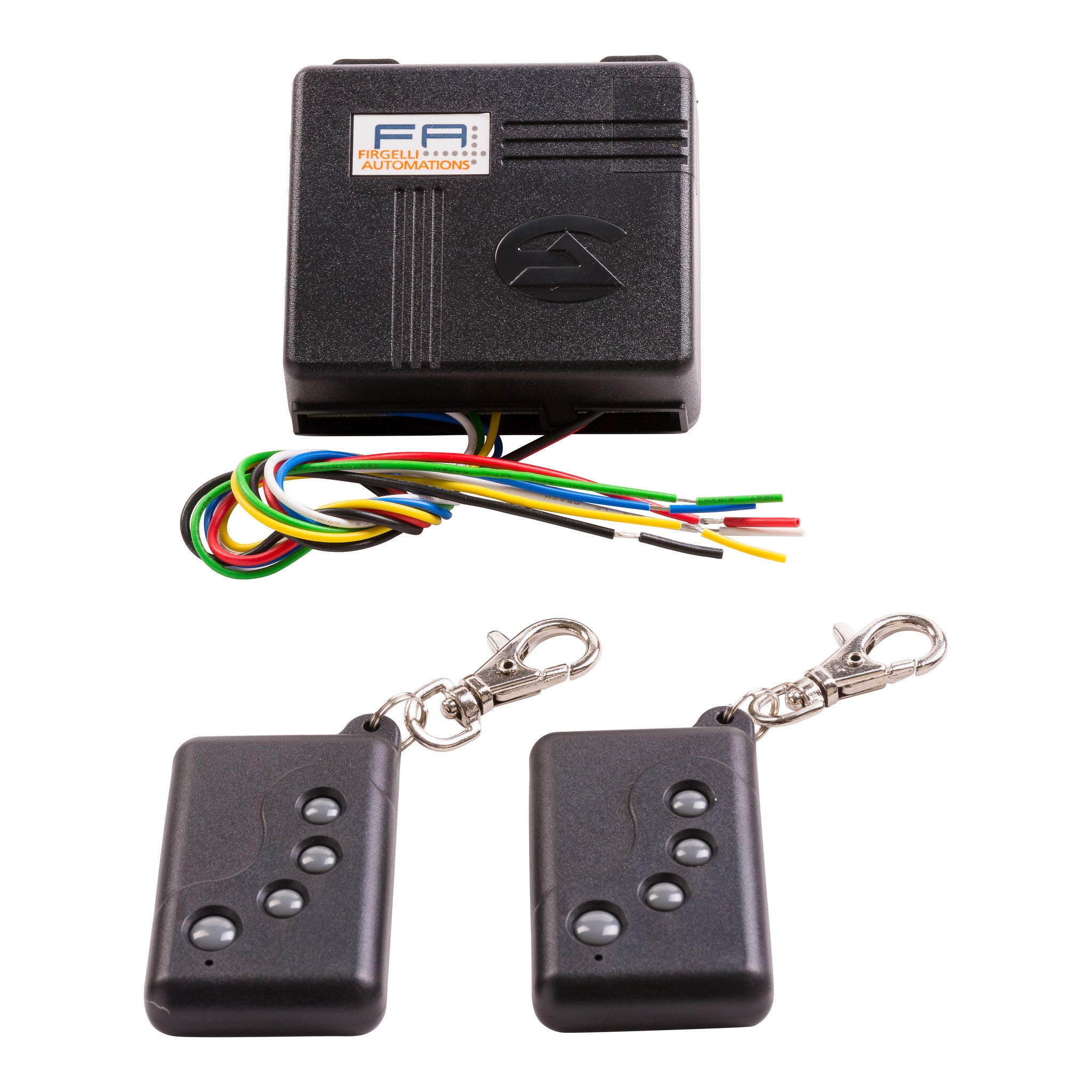


Four Channel Remote Control System - 4CH-RC


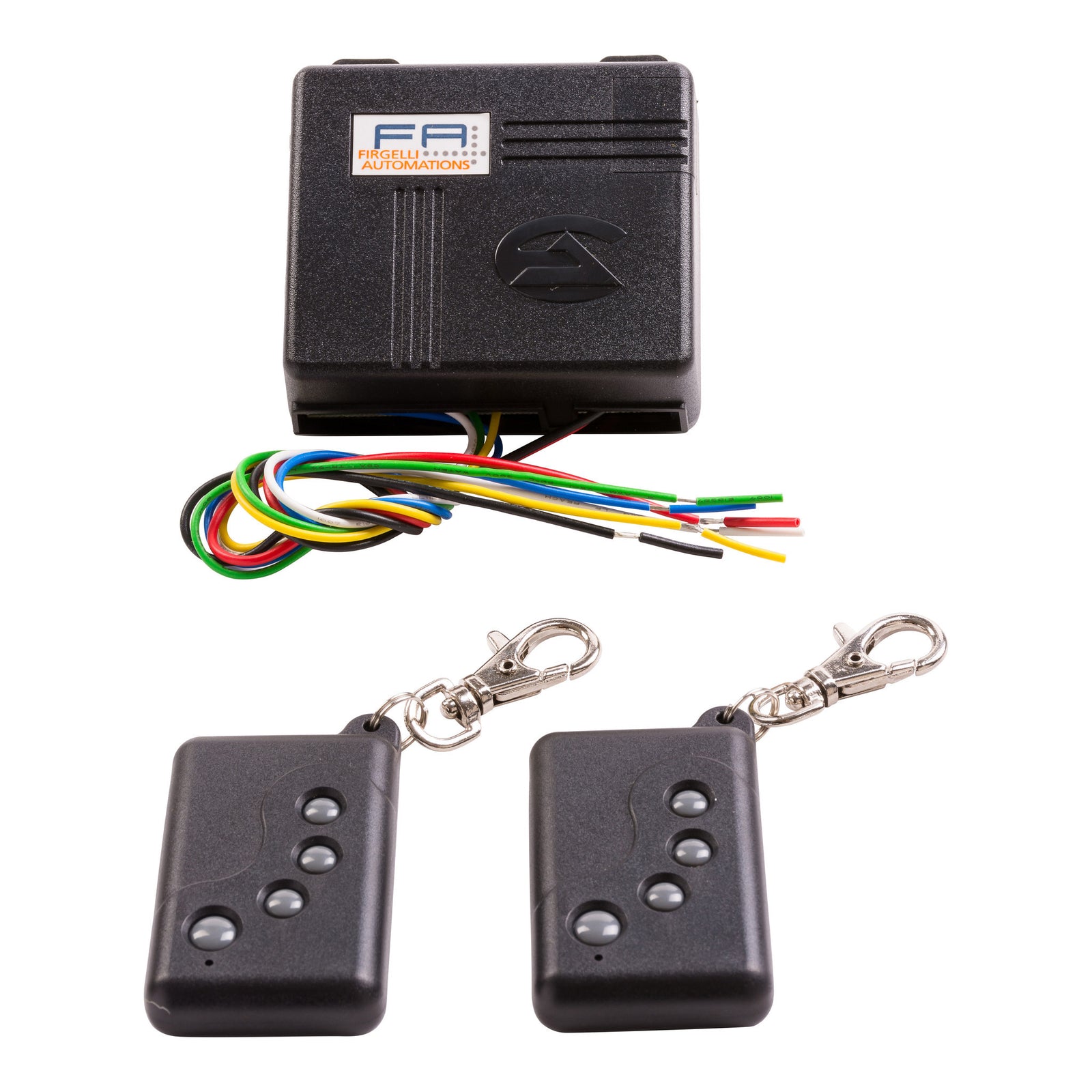


Four Channel Remote Control System - 4CH-RC
Description
This wireless RF system works just like the two channel remote control system, but offers increased versatility and can support a wider range of applications due to its two extra channels.
Clients of Firgelli Automations can sometimes run into applications where two actuators need to be run from the same remote, the four channel remote control system is the solution to such designs. Four buttons are ergonomically laid out on each key fob remote, two for each actuator. As a result of the number of options that are available in actuator control, our friendly and experienced staff is at the ready to assist you with your decisions. and quick facts are located on the 'Specifications' tab for your convenience.
Specifications
- Radio frequency 310 Mhz
- 2 or 4 channel
- Programmable remotes
- Each remote has 4 buttons, 2 buttons per actuator
- 2 modes - sustaining (latching), or momentary
- Requires 12VDC - 24VDC input (not included)
- 10 AMP fuse should be used on each channel to protect the remote system
- Easy to wire actuators to 4 channel remote control system
- Rated to 10 amps per channel
- Dimensions: 75.5mm x 63.5mm x 30.5mm
- Range : About 40 ~ 70 Meters with full battery power
To change from Sustaining to Latching mode:
The remote system come programmed in Sustaining mode, this means that the actuator will move for as long as your finger is held on the button. In Latching mode you only have to press the button once and the actuator will go all the way to the end.
To change all you have to do is open up the case on the receiver and remove the jumper that connects 2 pins together and place it on just 1 pin, then you need to remove the power to the remote receiver for a few moments to resets the system.
Control Limits:
The 4CH-REM unit can move two actuators simultaneously and independently, but only when set to Sustaining Mode.
Programming more remotes:
To program more remotes you press and hold the button on the circuit board, you will have to open the case first. Hold the button for a few seconds until the red LED flashes. Then press any button on each of the remotes you want to program, 1 at a time, so if you have 4 remotes you need to program all the remotes, even if they were already programmed, and just press any one of the 4 buttons on each remote. Then remove the power from the receiver and plug it back in again. Now all remotes should work with the receiver
Technical Drawings
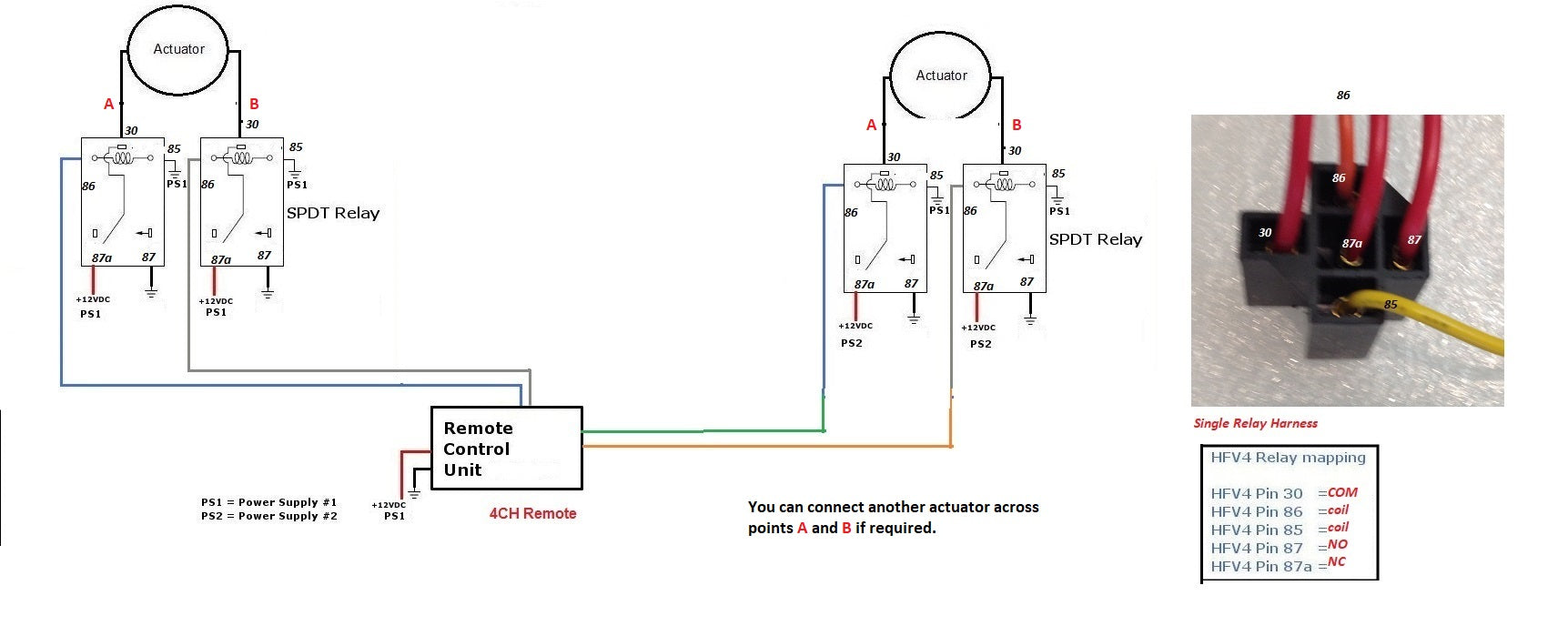
Wiring Diagram
Click here to view our wiring diagram generator to help you set up your actuator system